

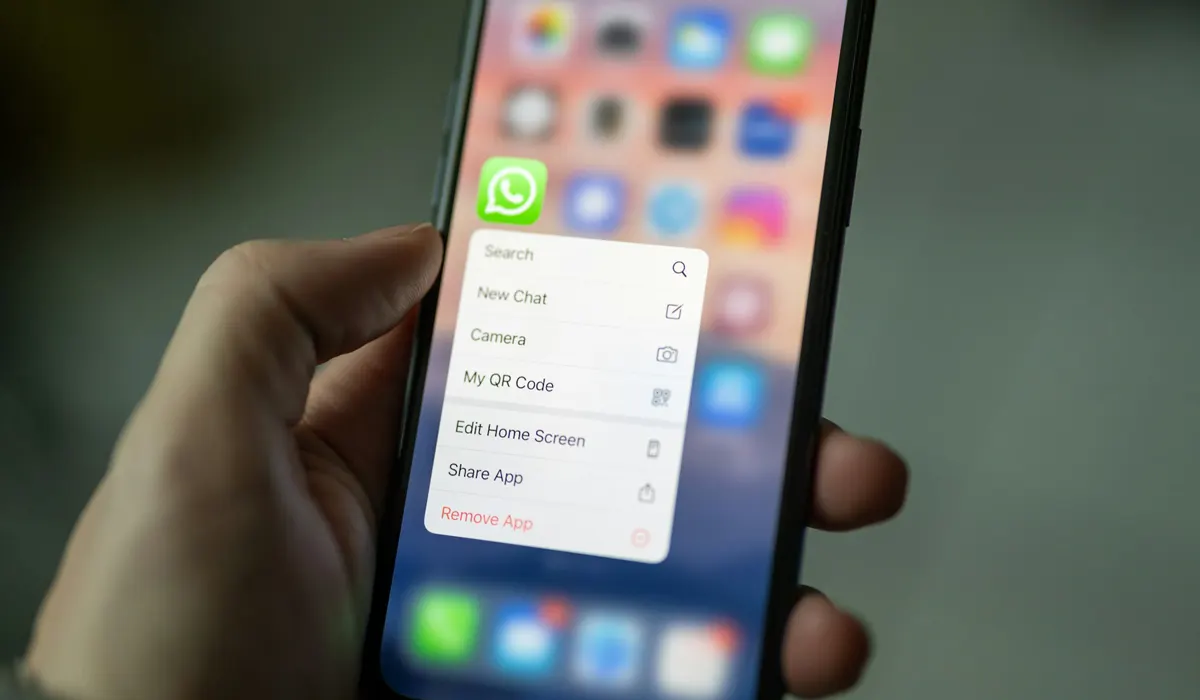
Imagine thinking encryption locks your private WhatsApp conversations tight, only to find out your own device might store them unprotected. That’s the unsettling reality recent research has brought to light about WhatsApp chat storage on Apple devices. If you use WhatsApp on iOS or macOS, your chat histories could be more exposed than you realize.
- WhatsApp Chat Unencrypted Apple Devices — How WhatsApp Stores Your Messages Locally
- WhatsApp Chat Unencrypted Apple Devices — The Gap Between Transmission Security and Local Storage
- WhatsApp Chat Unencrypted Apple Devices — What Risks Does This Pose?
- WhatsApp Chat Unencrypted Apple Devices — Apple’s Data Protection and Its Limits
- WhatsApp Chat Unencrypted Apple Devices — What Can You Do to Protect Your Chats?
- WhatsApp Chat Unencrypted Apple Devices — Rethinking Privacy in Messaging Apps
- WhatsApp Chat Unencrypted Apple Devices — What This Means for Your Privacy
The issue centers not on messages traveling between users but on how your device stores them once they arrive. Even though WhatsApp uses strong end-to-end encryption (E2EE) for message transmission, this protection doesn’t necessarily extend to local storage. This means other apps or anyone with the right access could save your chats in a readable, unencrypted form.
This raises serious questions about local data protection and privacy within the Apple ecosystem, especially considering how apps from the same developer can share data containers. Let’s unpack what this means for your privacy and what you can do about it.
WhatsApp Chat Unencrypted Apple Devices — How WhatsApp Stores Your Messages Locally
WhatsApp widely praises its end-to-end encryption for securing messages as they travel between devices. However, once those messages arrive and decrypt on your device, the story changes. According to iOS security researchers at Mysk, WhatsApp stores chat data in an SQLite database file named “Axolotl.sqlite.” This file resides in a shared app group container called group.net.whatsapp.WhatsApp.shared.
Shared containers are a feature Apple allows for apps from the same developer to exchange data securely. But this convenience comes with a catch: any app signed by the same developer—like Facebook or Instagram, also owned by Meta—could theoretically access this database without asking for your permission. This is because they share the same developer group permissions.
What makes this particularly concerning is that the database is stored in plaintext, meaning it’s not encrypted at rest. Anyone or any app with access to this container can read your entire chat history as it appears on your device. This situation doesn’t break Apple’s sandboxing rules but exposes a vulnerability in how local data isolation is implemented.
WhatsApp Chat Unencrypted Apple Devices — The Gap Between Transmission Security and Local Storage
There’s a critical difference between protecting messages in transit and securing them on your device. End-to-end encryption ensures that only the sender and recipient can read messages while they move across networks. But once decrypted on the device, the security depends entirely on how the app handles local storage.
WhatsApp’s approach leaves chat histories vulnerable because it does not encrypt the local database file. This means that if someone gains access to your device or an app with shared permissions, your messages are exposed in their original, readable form. This exposure magnifies risks like cross-app data access, insider threats, or forensic extraction if the device is compromised.
The issue also highlights a broader challenge for messaging apps: how to balance usability, performance, and security when storing sensitive data locally. Encrypting data at rest adds complexity but is crucial for protecting privacy beyond transmission.
WhatsApp Chat Unencrypted Apple Devices — What Risks Does This Pose?
The unencrypted storage of WhatsApp chats on Apple devices introduces several risks that users should understand:
- Cross-App Data Access: Apps from the same developer can access shared containers, potentially reading your chat history without explicit consent.
- Malicious Apps: If a malicious app gains access to the shared container, it could harvest sensitive conversations.
- Forensic Extraction: On jailbroken or compromised devices, attackers can extract chat histories easily.
- Insider Threats: Employees with legitimate access to app permissions might misuse the data.
While there is no public proof that Meta exploits this access, the design choice itself opens a door to privacy vulnerabilities. On macOS, where file system access is more flexible, the risk could be even greater if endpoint security controls are weak.
WhatsApp Chat Unencrypted Apple Devices — Apple’s Data Protection and Its Limits
Apple’s Data Protection framework encrypts files based on device state, like when the device is locked. This offers a layer of security but does not guarantee that all app-level databases are encrypted in a way that blocks access from authorized apps or shared containers.
In other words, Apple’s system-level encryption protects your device broadly but leaves the responsibility of encrypting local data files to the app developers themselves. WhatsApp’s current implementation does not encrypt the “Axolotl.sqlite” database, meaning it can be accessed by other apps within the same developer group or through device compromise.
This gap underscores the importance of app-level encryption and strict data isolation policies, especially for applications handling sensitive personal communications.
WhatsApp Chat Unencrypted Apple Devices — What Can You Do to Protect Your Chats?
If you’re concerned about this exposure, there are practical steps you can take to improve your data security on Apple devices:
- Use strong passcodes and biometric locks to prevent unauthorized physical access.
- Avoid installing unnecessary apps from the same developer ecosystem to reduce cross-app data sharing risks.
- Employ Mobile Device Management (MDM) solutions in organizational settings to control app permissions tightly.
- Keep your iOS, macOS, and WhatsApp app updated regularly to benefit from security patches.
- Consider messaging apps that enforce encryption of local data if your use case demands higher security.
These precautions won’t eliminate all risks but can significantly reduce your exposure to unauthorized access.
Security Insight
Even the strongest encryption for message transit can’t protect you if local storage is left exposed.
WhatsApp Chat Unencrypted Apple Devices — Rethinking Privacy in Messaging Apps
This issue with WhatsApp chat storage highlights a broader industry challenge: securing data not only while it moves but also when it rests on your device. Messaging platforms have made great strides in encrypting communication channels, but endpoint security remains a weak link.
The findings from Mysk’s research may prompt developers and security teams to reevaluate how local data is stored and whether encryption-at-rest should be standard practice. For users, it’s a reminder that privacy depends on multiple layers of protection, not just the ones visible during message transmission.
As you consider your messaging habits, understanding how WhatsApp chat unencrypted Apple devices could impact your privacy helps you make informed choices about the apps you trust with your conversations.
WhatsApp Chat Unencrypted Apple Devices — What This Means for Your Privacy
The discovery that WhatsApp chat histories are stored unencrypted on Apple devices demands attention. It’s a clear example of how security can fall short when it comes to local data storage, even in apps that otherwise use strong encryption.
Your chat histories, potentially accessible by other apps from the same developer or anyone with device access, could expose sensitive personal or professional conversations. This situation calls for both user vigilance and industry reflection on improving endpoint security standards.
If you value your privacy, understanding these risks and adjusting your device security practices is essential. The conversation around WhatsApp chat unencrypted Apple devices is far from over—it’s a wake-up call for better local data protection across all platforms.
Does WhatsApp encrypt messages stored on my device?
No. While WhatsApp uses end-to-end encryption for messages in transit, the local chat database on Apple devices is stored unencrypted.
Can other apps access my WhatsApp messages on iOS or macOS?
Yes. Apps signed by the same developer and sharing the same app group container can access the unencrypted chat database.
Is this vulnerability unique to Apple devices?
This specific issue concerns WhatsApp’s implementation on iOS and macOS, where shared app containers are used. Other platforms may have different storage methods.
How can I protect my WhatsApp chats on Apple devices?
Use strong device locks, avoid installing unnecessary apps from the same developer, keep software updated, and consider apps with stricter local encryption if needed.
Has Meta responded to this security concern?
There is no public evidence that Meta exploits this access, but the architectural design leaves room for potential privacy issues.